Contact Us



We know that support tickets often come from an unpleasant experience - either because something went wrong at a show, or because you didn't find the necessary documentation while testing and learning.
In such situations, we want to help you as best as we can. In order for our help to be effective, we have some tips on which information helps us with troubleshooting.
In essence: the more information you can give us about your setup, the better.
What information should you provide?
THE ERROR
- What happened, and how did the error manifest itself? Ideally, take a short video that shows how or at what point the error occurs!
- When exactly did it happen? (Exact Time) This is important, so we know where to look within the timestamps of the logs.
- What happened just before the error occurred?
- Does it always happen, meaning, is the error reproducible? Does the error travel with the content/system? (Does it also appear when opening the content with other software or on the desktop, or does it come along when you move the PIXERA project to another system?)
THE SETUP
- Give a short description of your setup.
- Are you running PIXERA hardware or a custom build?
- Standalone or Multiclient?
- What type of content is played out and at what resolution?
THE PIXERA VERSION
- Which PIXERA version do you use?
- Does the error also appear in a newer or an older version?
THE LOG & DUMP FILES
- From this, we can already draw first conclusions about what could have happened.
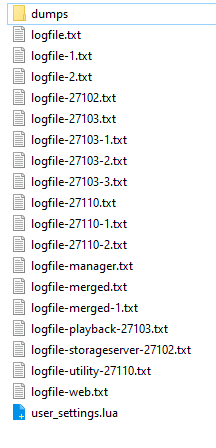
- Please always provide the log and dump files from the manager and any client system(s), if applicable.
- Very important: When (exact time) did the error occur?
THE SHOWFILE
- If possible, please always attach your PIXERA showfile - this makes it much easier for us to reconstruct an error and to follow the course of events.
- You do not have to send a bundle with all the content included!
Important
It is crucial that you provide the support team with the exact time when the issue occurred. This is especially important for problems that happened only once at a specific point in time, as knowing the precise moment helps with accurate troubleshooting.
There is a quick way to send both the log and the show files using the PIXERA Hub, described in the following sections.
Where do I get the log files from?
The easiest way to collect the most important data for support is to use the “Generate Support Bundle” function in the Hub.
You can find it in the "Manage" tab under “Diagnostics”.


NOTE
In addition to the log files, the show file is also very important for support work - please make sure ‘Project File’ is checked, so it is included in the support bundle!
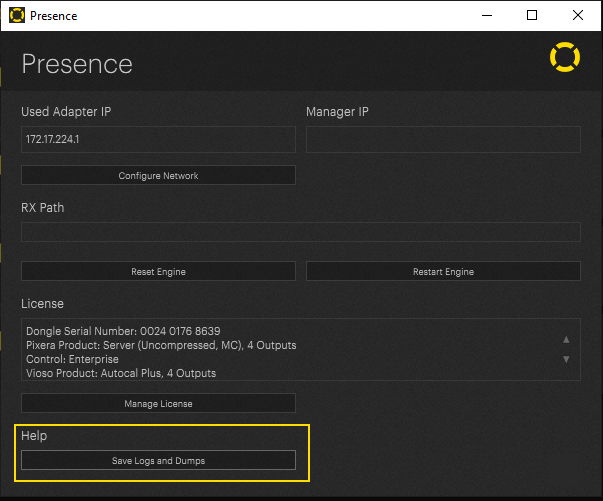
The files can also be collected in the individual applications (PIXERA, Presence, or from the respective ProgramData directories on each machine), but we recommend always sending the support bundle generated by PIXERA Hub, such that no crucial file is left out.
Older Versions of PIXERA
For older PIXERA and Hub versions that do not include all these files in the support bundle, you may also find or generate the needed files as follows.
PIXERA:
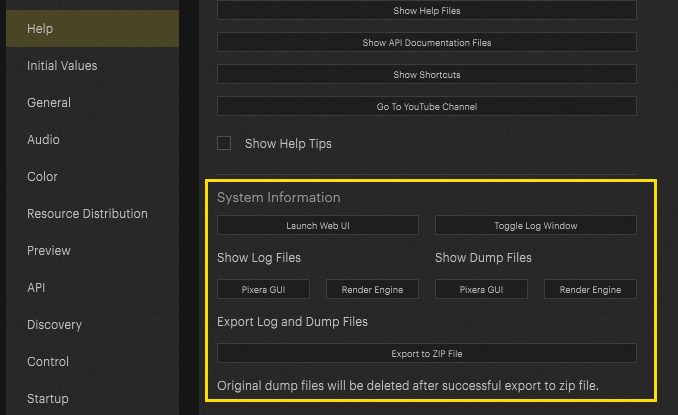
In the settings of PIXERA, there is the possibility to export the log files of the local machine under the menu item "Help".
Presence:
Find log files manually:
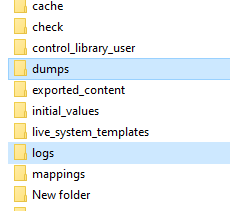
Alternatively, the log files can be found in the following file path:
Log- and dump files from PIXERA
C:\ProgramData\AV Stumpfl\Pixera
Log- and dump files of the Render Engine (RX)
C:\ProgramData\AV Stumpfl\RX